Textures, files & packs · 7 min read
How to start a FiveM server: txAdmin setup on Windows and Linux
You want a FiveM server of your own: for a few friends, for a roleplay community, or just to test scripts. Everything you need to start is free: the server files, a license key, and txAdmin, the web panel that comes with the server. Here are the steps from the Cfx.re docs, on Windows and on Linux, and what to do once it runs.
GTA VI launches on 19 November 2026 on PS5 and Xbox Series X|S only, with no PC version announced, so FiveM on GTA V is still where PC roleplay happens. (What GTA 6 means for FiveM roleplay.)
What you need
- A Cfx.re account, the one you use on forum.cfx.re. The server asks you to sign in with it the first time it starts.
- A license key, free, from the Cfx Portal. Every server needs one.
- A machine to run it on: your own PC, a rented server, or a game host, on Windows or Linux.
- 7-Zip or WinRAR on Windows, to open the server archive.
- A database server, but only for some recipes. The plain one needs none; framework recipes usually do (more on that below).
Legacy or Enhanced?
The download page now has two platforms. FiveM / RedM is the usual one, on GTA V Legacy. FiveM for GTAV Enhanced has been in early access since 21 July 2026. It has its own server files (cfx-server.exe instead of FXServer.exe), keeps OneSync in one mode only, and changes enough that a Legacy server.cfg needs edits. Its resources stream from a stream_enhanced folder when they have one.
This guide follows Legacy. The txAdmin steps are the same on Enhanced, with the new file names. To bring Legacy model files over, Cfx.re points to its Alchemist tool, and our Legacy to Enhanced rewrites .ydr, .ydd, .yft, .ytd, .ypt and .rpf files for Enhanced too.
Step 1: get a license key
Sign in to the Cfx Portal with your Cfx.re account and register a server license key. Keep it to yourself, like a password.
The Portal is also where your server's name, description and icon live now. The docs mark sv_hostname, sv_projectName, sv_projectDesc and load_server_icon as deprecated and send you to the Portal instead, so set them there rather than in server.cfg.
Step 2 on Windows: txAdmin
- Make a folder for the server files, for example
C:\FXServer\server. - On the server download page, pick FiveM / RedM, Windows and Recommended, and download
server.7z. - Open it with 7-Zip or WinRAR and extract it into that folder.
- Double-click
FXServer.exe. A page opens in your browser with a PIN filled in: click Link Account, sign in with your Cfx.re account and allow it. - Set a password for the txAdmin panel, then type your server's name.
- Under Popular Recipes, pick a template: the Cfx default FiveM recipe for a plain server, or a framework (see below). Choose where to save it.
- In the Recipe Deployer, check the recipe, paste your license key and click Run Recipe.
- Click Save & Run Server.
From then on you start the server by running FXServer.exe and manage it from the txAdmin panel and its in-game menu: start and stop it, read its console, and look after players.
Step 2 on Linux: txAdmin
txAdmin works the same on Linux. You need xz (the xz-utils package) to unpack the archive, and screen keeps the server running after you log out. Copy the Linux link from the server download page (FiveM / RedM, Linux, Recommended), then:
mkdir -p ~/FXServer/server && cd ~/FXServer/server
wget <the fx.tar.xz link from the download page>
tar xf fx.tar.xz
screen ./run.sh
Start run.sh without any +exec argument: that is what makes txAdmin start. Open the address it prints in the console and follow the same steps as on Windows. The panel listens on port 40120 by default.
Without txAdmin
The docs also describe a plain setup without the panel: clone the base resources next to the server files, write your own server.cfg, and start the server with it. On Windows, from C:\FXServer:
git clone https://github.com/citizenfx/cfx-server-data.git server-data
cd /d C:\FXServer\server-data
C:\FXServer\server\FXServer.exe +exec server.cfg
On Linux the last step is cd ~/FXServer/server-data && bash ~/FXServer/server/run.sh +exec server.cfg. txAdmin is the easier start, though: the recipe writes the config for you, and the panel starts, stops and watches the server.
Step 3: the server.cfg lines that matter
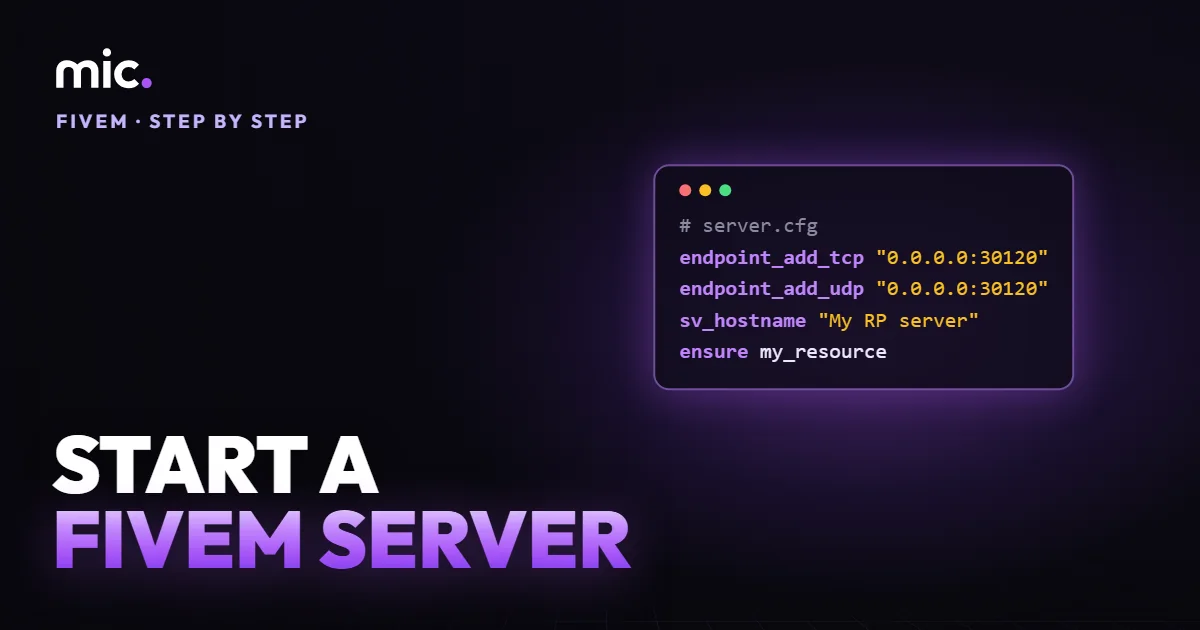
A recipe writes server.cfg for you. These lines, from the docs' example config, are the ones you will come back to:
# the port players connect to, TCP and UDP
endpoint_add_tcp "0.0.0.0:30120"
endpoint_add_udp "0.0.0.0:30120"

# each resource you add needs a line like these
ensure chat
ensure spawnmanager

# server-side sync, and the number of slots
set onesync on
sv_maxclients 48

# who is an admin
add_ace group.admin command allow
add_principal identifier.fivem:1 group.admin

# your key from the Cfx Portal
sv_licenseKey changemeensurestarts a resource, or restarts it if it is already running. A resource you drop intoresourcesdoes nothing until it has its line.set onesync onturns on OneSync. The docs require it for 32 slots or more, and it is free up to 48 slots. More slots take a paid Element Club tier on the Cfx Portal.add_aceandadd_principalmake someone an admin. txAdmin adds you when it runs the recipe.
Step 4: open port 30120
Players outside your network reach the server on port 30120, TCP and UDP. On a home PC, forward it on your router and allow it through Windows Firewall. On a rented server, allow it in the server's firewall. The txAdmin panel on 40120 is only for you: leave it closed to the internet unless you need it from elsewhere, and give it a strong password.
Home PC, VPS or game host
Cfx.re publishes no exact hardware figures. Its hosting page asks for an x86-64 machine running Windows or Linux, preferably with a multi-core processor and a good upload, and lists its authorized hosting partners: GPORTAL, Shockbyte, Nitrado, Nodecraft, xREALM and ZAP-Hosting.
- Your own PC: free, and fine to test or play with friends. Your upload speed and the PC staying on are the limits.
- A VPS or dedicated server: full control, on Windows or Linux. You follow the steps above yourself.
- A game host: the host sets the machine up for you, and you get less control over it.
What your server streams matters as much as the machine. Heavy car and clothing packs are the usual cause of texture loss, on any hardware.
Pick a framework
A plain server has no jobs, money or inventory. Roleplay servers add a framework, and most scripts are written for one of three:
| Framework | In txAdmin's recipe list | Good to know |
|---|---|---|
| ESX Legacy | ESX Legacy | Long-running, with a large choice of scripts. |
| QBCore | Marked deprecated | Still widely used; install it by following its own docs. |
| Qbox | Qbox Framework | Has a guide for moving from QBCore. Needs MariaDB 10.9 or newer; MySQL is not supported. |
Choose the one your must-have scripts support, and stay with it: switching later means swapping scripts. New to roleplay servers? Start with what GTA RP is. Our scripts are sorted by framework: ESX, QBCore and Qbox.
Make it yours, without breaking it
Next come cars, clothing, maps and MLOs, and this is where most new servers break: two resources stream the same file, two maps edit the same spot, one pack is far too heavy. Check your resources folder after each batch you add:
- Server Budget: the memory each resource streams, the files over FiveM's 16 MiB warning, and the files streamed twice. It runs in your browser and uploads nothing. (What the warning means.)
- Map Conflict Check: the map resources that clash with the game or with each other, such as the same map replaced twice or overlapping MLOs. (MLO walls missing?)
- Missing Textures Check: the textures behind white, pink or purple models, with a fix for each. (Why textures go pink.)
- Name Clash Check: the files, textures and archetypes two resources stream under one name, and which copy the game uses.
- Vehicle Pack Merger: many addon car resources merged into one, with clashing ids and spawn names fixed, and shop lists for qb-core, Qbox and ESX. (How to merge car packs.)
A resource with no manifest, or a broken one? Manifest Builder writes its fxmanifest.lua, with the right data_file line for each meta. A car that will not spawn has its own guide.
Before you take money
If you plan a store for your server, read the Creator Platform License Agreement first (last updated 10 September 2026). The FiveM docs name Tebex as the authorized monetization partner and say any other payment platform breaks the agreement. Among what the agreement rules out:
- selling in-game currency for real money;
- loot boxes, gacha or any other chance-based item, for real money or in-game currency;
- real-money gambling, or any way for players to cash out;
- selling access to Rockstar's own virtual items;
- cryptocurrency and NFTs.
Questions
- Is it free to host a FiveM server?
- The server files, the license key and txAdmin are free, and OneSync is free up to 48 slots. More slots need a paid Element Club tier on the Cfx Portal. Otherwise you only pay for the machine, if you rent one.
- What port does a FiveM server use?
- Port 30120, both TCP and UDP, set by
endpoint_add_tcpandendpoint_add_udpinserver.cfg. The txAdmin panel uses port 40120 by default, and players never need it. - How many players can a FiveM server have for free?
- Up to 48, with OneSync on. The docs require OneSync from 32 slots up; above 48 you need a paid Element Club tier.
- Can I host a FiveM server on my own PC?
- Yes. The docs' Windows guide does just that. Players outside your home network need port 30120 forwarded on your router, and your upload speed limits how many can play smoothly.
- Should I use ESX, QBCore or Qbox?
- The one the scripts you want support. ESX Legacy and Qbox are in txAdmin's recipe list; its QBCore recipe is marked deprecated, so QBCore is installed from its own docs.
The tool for this
Server Budget
Drop your resources folder and see the memory each resource streams, the files FiveM warns about and the files streamed twice. Stuck on a step? Ask on our Discord, and find ready-made scripts in the store.
Open Server BudgetAlso useful here: Map Conflict Check · Missing Textures Check · Name Clash Check · Vehicle Pack Merger