FiveM Asset Optimizer: Fix Oversized YTD
Shrink oversized textures across a whole pack at once, rebuild the ones saved without mipmaps, and see what each file costs.
Loading Asset Optimizer…
Shrink oversized FiveM assets in one go
Asset Optimizer takes the .ytd, .ydr, .yft and .ydd files of a stream folder and brings their oversized textures down to the size you choose, all at once, showing what each file costs before and after.
Textures saved without mipmaps (their smaller copies) are rebuilt with them, which stops the pink, blurry or popping textures they cause close up on addon peds, cars and props.
The files come back with the same names in a zip, so you replace them and restart. It is the quick fix for FiveM's oversized asset warnings and a big part of fixing texture loss.
How Asset Optimizer works
- Drop the .ytd, .ydr, .yft and .ydd files of a stream folder.
- Pick the largest texture size to keep.
- Download the lighter files in a zip.
You get: The same files, same names, with their oversized textures brought down and missing mipmaps added.
Every tool is free to try: 5 exports a day, files up to 25 MB. The paid plans raise the limits. See the plans.
Questions
- How do I fix "oversized asset" in FiveM?
- Drop the files, pick the largest texture size to keep (often 1024 or 2048 px) and download the lighter files.
- Will it look worse?
- Textures above the size you pick are scaled down; at normal distances it is rarely visible.
- Why is my addon ped pink or blurry up close?
- Often a texture saved with no mipmaps: the game can't step it down when texture memory is short. Keep "Add missing mipmaps" on and it is rebuilt with them, in the same format family (DXT1, or DXT5 when it has transparency).
- How do I find the worst files?
- Run Server Budget on your resources folder first, and the Missing Textures Check for textures with no mipmaps.
Guides
- How to add mipmaps to a YTD (textures pink or shimmering up close)Textures saved without mipmaps can show pink, blurry or shimmering in FiveM. How to spot them in a .ytd and rebuild them with mipmaps, without OpenIV.
- Why are my FiveM textures pink, purple or white? (And how to fix it)A white, pink or purple model in FiveM is a texture the game looked for and didn't find. Where it looks, the usual causes, and how to find the missing one.
- FiveM "oversized asset" warning: what it means and how to fix itFiveM warns when a streamed file uses over 16 MiB of memory. What it measures, why the size on disk misleads, and how to shrink the textures behind it.
- FiveM texture loss: why the city goes blurry and how to fix itRoads and buildings loading late, blurry or not at all on your FiveM server? Find the oversized and duplicated assets behind texture loss and shrink them.
In GTA Explorer
- GTA V props and map models: the game's props and their texture dictionaries
Related tools
 Server BudgetDrop your whole resources folder: the memory each resource streams, the oversized files FiveM warns about, and files streamed twice.
 Texture DedupeFind the textures a pack repeats across its .ytd files and move them into one shared dictionary, to cut the memory it streams.
 Texture EditorOpen a .ytd (or a model with textures inside): replace textures with your pictures, remove or add them, shrink them all to lighten a pack.
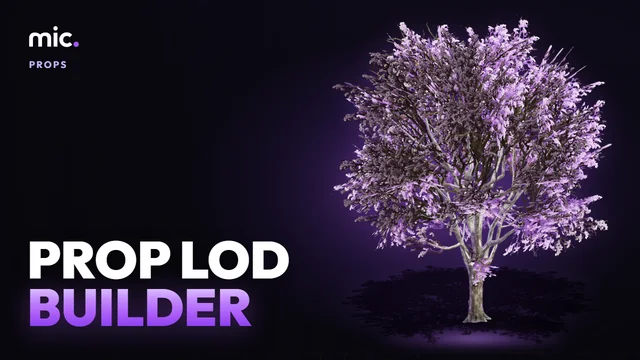 Prop LOD BuilderGive a prop that has only one level of detail its medium, low and very low models, so it costs less far away.
Other files & packs tools: Particle FX · Audio Tool · Addon Weapons · Legacy to Enhanced · RPF Reader · DLC to FiveM · FiveM to DLC · RPF Writer · XML Converter · Manifest Builder · Texture Editor · Server Budget · Name Clash Check · Texture Dedupe · Missing Textures Check · Hash Tool · Asset Photo Studio