Props · 2 min read
How to make inventory images for ox_inventory, qb-inventory and qs
Read in: Español · Français · Deutsch · Português · Italiano · Polski · Türkçe · Русский
A new item in your server needs a picture in the inventory. Most servers end up with a mix: icon packs in one style, screenshots in another, a few downloaded from wherever. If the item is a prop in the game (a phone, a toolbox, a bottle), you can make its icon from the model itself, and every icon comes out the same.
Where the images go
| Inventory | Folder | Name |
|---|---|---|
| ox_inventory | web/images/ | the item's name, .png |
| qb-inventory | html/images/ | the image named in the item's entry |
| qs-inventory | html/images/ | the image named in the item's entry |
ox_inventory can also load its images from another address: its inventory:imagepath convar. Check your inventory's own docs for the version you run.
Make an icon
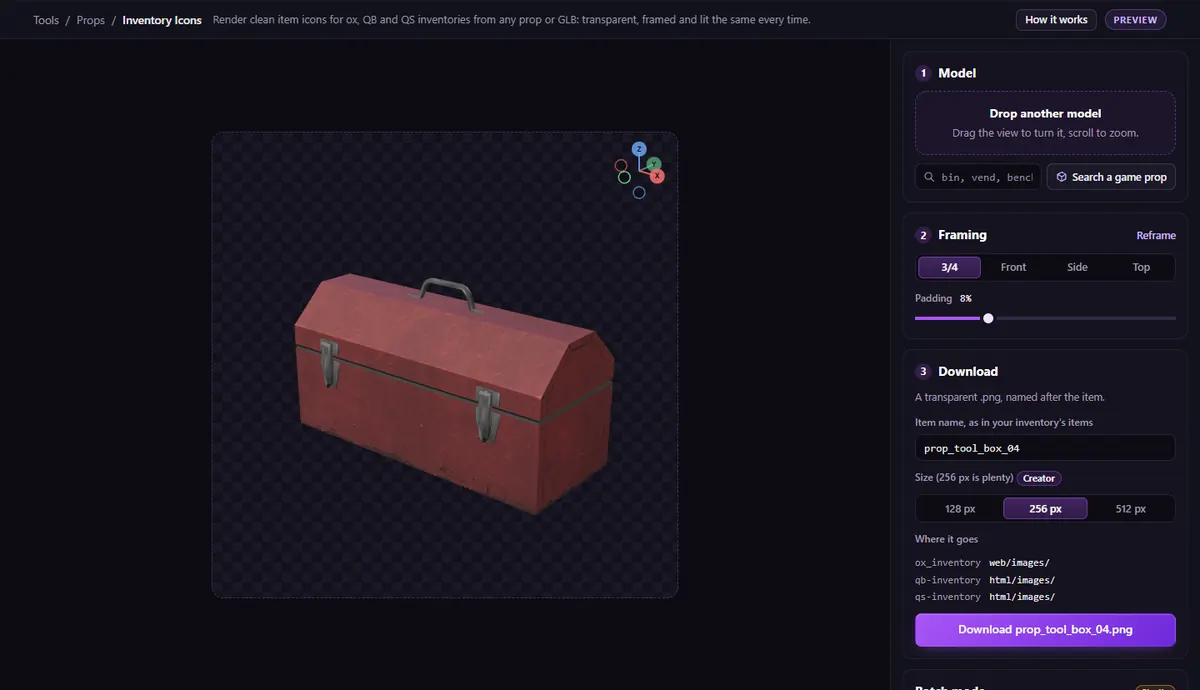
Open Inventory Icons and drop a model: a .glb, or a .ydr / .yft with its .ytd, or search one of the game's props.
- Pick the angle: 3/4, Front, Side or Top, then drag to turn it and scroll to zoom. Padding sets the space round it.
- Type the item name, as in your inventory's items.
- Pick the Size: 128 or 256 px (256 is plenty for most inventories), or 512 px with the Creator plan.
- Download the
.png: a transparent background, framed and lit the same every time.
Drop several models at once to make them all in one go, as a zip (batch mode, with the Studio plan).
The video tutorial makes icons for a trash can and a phone straight from the game.
Cars, clothes and bigger pictures
For pictures of vehicles for a dealership, clothing for a shop, or props and your own models on a backdrop, use the Asset Photo Studio.
Questions
- What size should inventory icons be?
- ox_inventory and qb-inventory show them small: 256 × 256 px is plenty, and keeps the inventory light.
- Can I make icons for my custom props?
- Yes: drop the prop's
.ydrwith its.ytd, or the.glbit was made from.
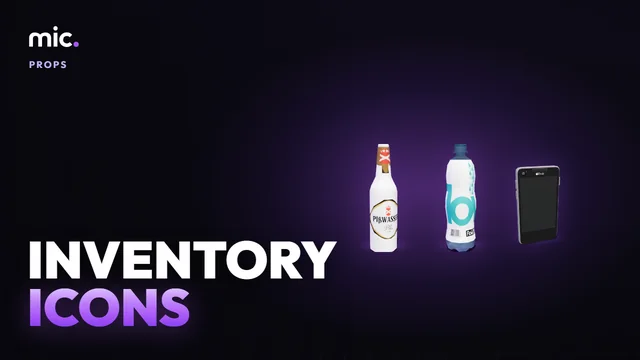
The tool for this
Inventory Icons
Drop a model or search a game prop, pick the angle and the size, and download a transparent PNG named after your item.
Open Inventory IconsAlso useful here: Asset Photo Studio