Peds & clothing · 2 min read
How to turn a Mixamo animation into a FiveM emote (.ycd)
Read in: Español · Français · Deutsch · Português · Italiano · Polski · Türkçe · Русский
Mixamo has thousands of free animations: dances, idles, gestures, fights. Getting one onto a FiveM player usually means Blender, an add-on to retarget it onto GTA's skeleton, and an export to the game's animation format. It can be a couple of minutes in the browser instead.
What FiveM needs
GTA V's animations live in clip dictionaries, .ycd files. A dictionary holds one or more clips, each with a name. You stream the .ycd in a resource's stream folder, then play a clip by its dictionary and its name:
local dict = 'my_emotes'
RequestAnimDict(dict)
while not HasAnimDictLoaded(dict) do Wait(0) end
TaskPlayAnim(PlayerPedId(), dict, 'dance', 8.0, -8.0, -1, 1, 0.0, false, false, false)
The clip has to move GTA's own skeleton, the freemode ped's bones, not Mixamo's. That retargeting is the part that usually needs Blender.
Get the animation from Mixamo
Pick an animation on Mixamo and download it as FBX Binary, with or without skin. A .glb, or an .fbx on a Rigify, Unreal mannequin or VRM skeleton, works too.
Make the .ycd
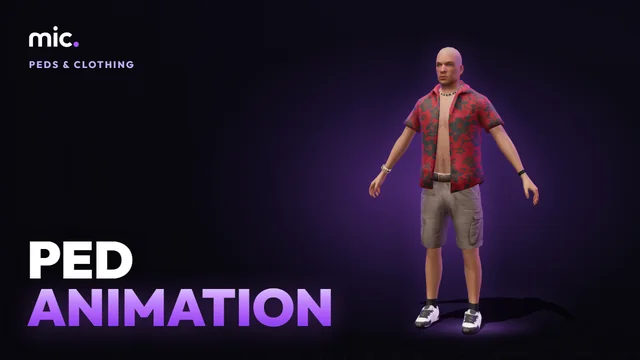
Open Ped Animation:
- Pick Male freemode or Female freemode.
- Drop your
.fbx. The freemode ped plays it next to the original, fingers and legs included. Keep In place ticked for an emote that stays on the spot; Turn it round if it faces the wrong way. - Name the clip and tick Loops for a dance or an idle. To put several animations in one dictionary, Add to the dictionary and drop the next one.
- Name the dictionary (the
.ycd): lower-case letters, digits,_,@and-. - Click Download, then Play the .ycd on the ped to see the file itself played back.
Copy code to play it gives you the TaskPlayAnim lines above with your names, and the line for an emote menu such as rpemotes or dpemotes:
["dance"] = { "my_emotes", "dance", "dance", AnimationOptions = { EmoteLoop = true } },Players keep the old .ycd until they reconnect, even after a restart of the resource: give a changed one a new name to test it right away.
The video tutorial does it with Mixamo's Hip Hop Dancing, from the download to the dance in game.
Limits
- Humanoid skeletons only. Faces and scale are not carried over.
- Up to 64 clips in a dictionary, and up to 3,000 frames a clip (100 seconds at 30 frames a second).
- No props in the hands and no trimming here: to cut, speed up or rename the clips of any
.ycd, use the Anim Clip Builder.
Questions
- Does it work with ESX and QBCore?
- Yes. A
.ycdis a streamed asset; any script or emote menu plays it by its dictionary and clip name. - Can I use it on the female ped?
- Yes: pick Female freemode, before or after you drop the animation.
The tool for this
Ped Animation
Drop a Mixamo .fbx, watch the freemode ped play it, and download it as a .ycd with the code to play it.
Open Ped AnimationAlso useful here: Anim Clip Builder